Meeting room booking software for teams
Room availability, QR check-in, roles and reports without calendar conflicts.
Salio Rooms gives companies one process for room selection, participants, recurring meetings, invitations, QR check-in, plan limits, utilization reports and calendar integrations with Google Calendar and Microsoft 365 / Outlook.

Real office spaces
Professional rooms your team can book without chaos.
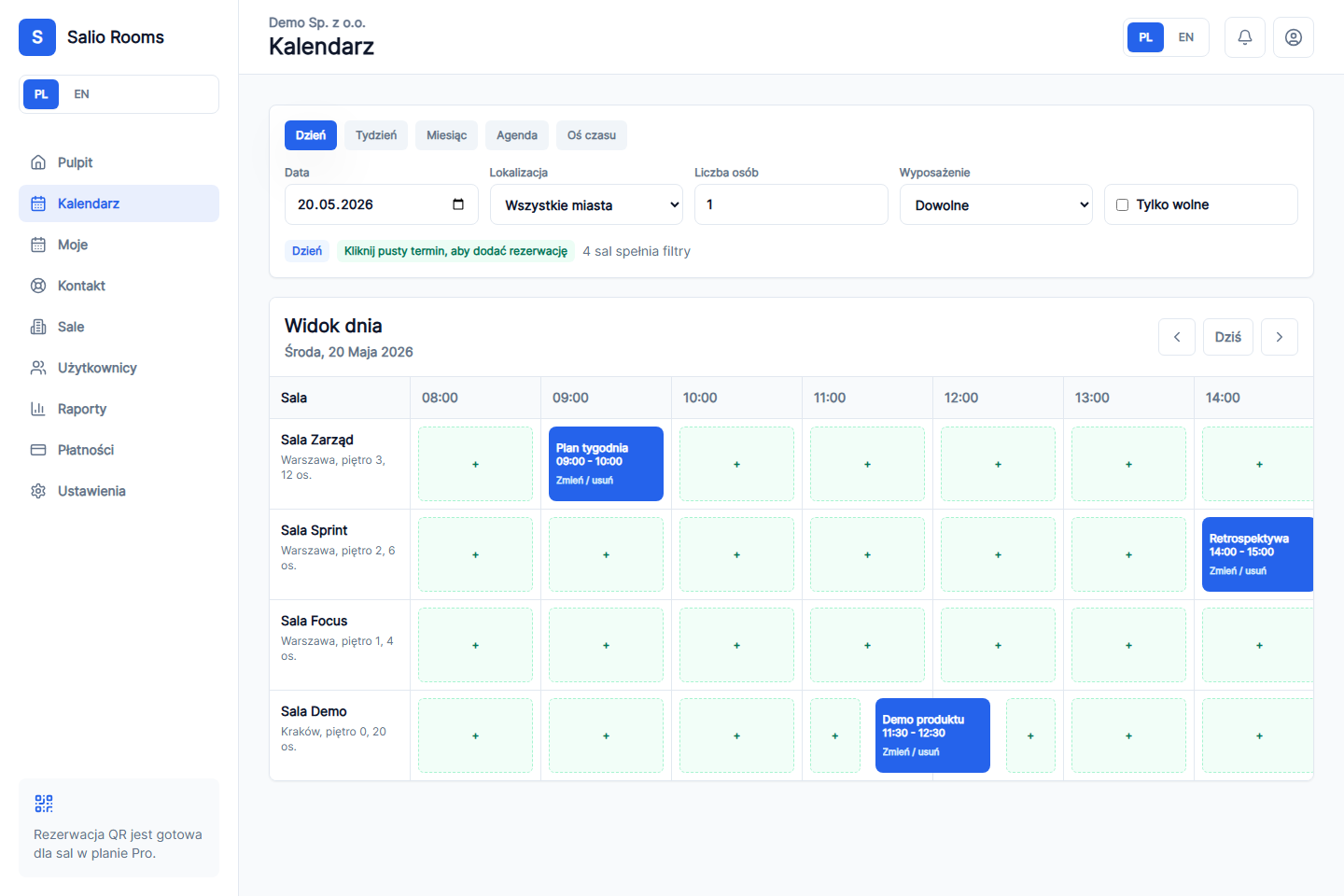
Room calendar view
The product screen shows how those spaces are booked and managed in Salio Rooms.
Preview without registration
Secure join links
Roles and plan limits
Legal documents ready
Built for account owners and everyday room users
The product is practical from the first screen: book rooms, add participants, manage roles and see what is happening.
Day, week and month calendar
Room availability, recurring meetings and booking duration stay visible in one operational view.
Book by clicking a calendar slot
The organizer creates a meeting from the selected slot, then can reschedule or cancel it later.
Company participant search
Search by first name, last name or email and add multiple participants in one dropdown session.
Invitations and calendars
Use .ics as a safe fallback, with prepared Google Calendar and Microsoft 365 / Outlook flows.
QR booking at the door
A room-door QR view shows room status, supports check-in and helps with ad hoc bookings.
Usage reports
Account owners can see room utilization, user activity and data needed for operational decisions.
Roles and plan limits
Separate permissions keep account owners, collaborators and full-access collaborators under control.
From a new account to the first booking in four steps
The flow stays clear for company owners, office managers and collaborators.
Create the company account
Add the company name, account owner and default booking settings.
Add rooms and limits
Set room capacity, equipment, locations and plan limits.
Invite collaborators
Generate a secure join link or add users manually.
Book without chaos
The team uses one calendar while Salio Rooms handles conflicts, invitees and recurring meetings.
See the Salio Rooms product panel
Review the key product views: room calendar, owner dashboard, resources, room-door display and everyday booking workflow.
Short product tour
A quick walkthrough of the core product screens.
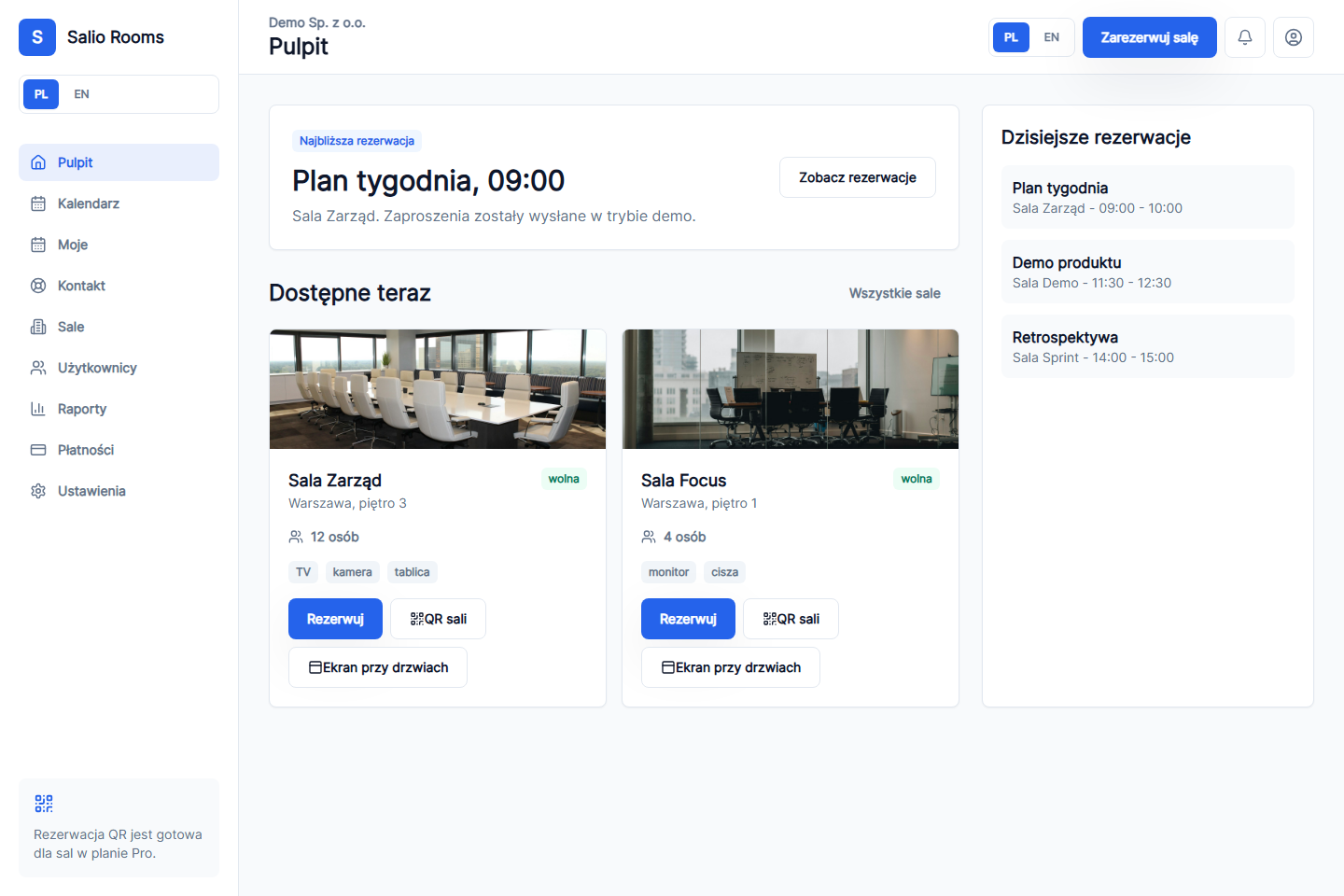
Owner dashboard
Next booking, available rooms and today's plan in one operational view.
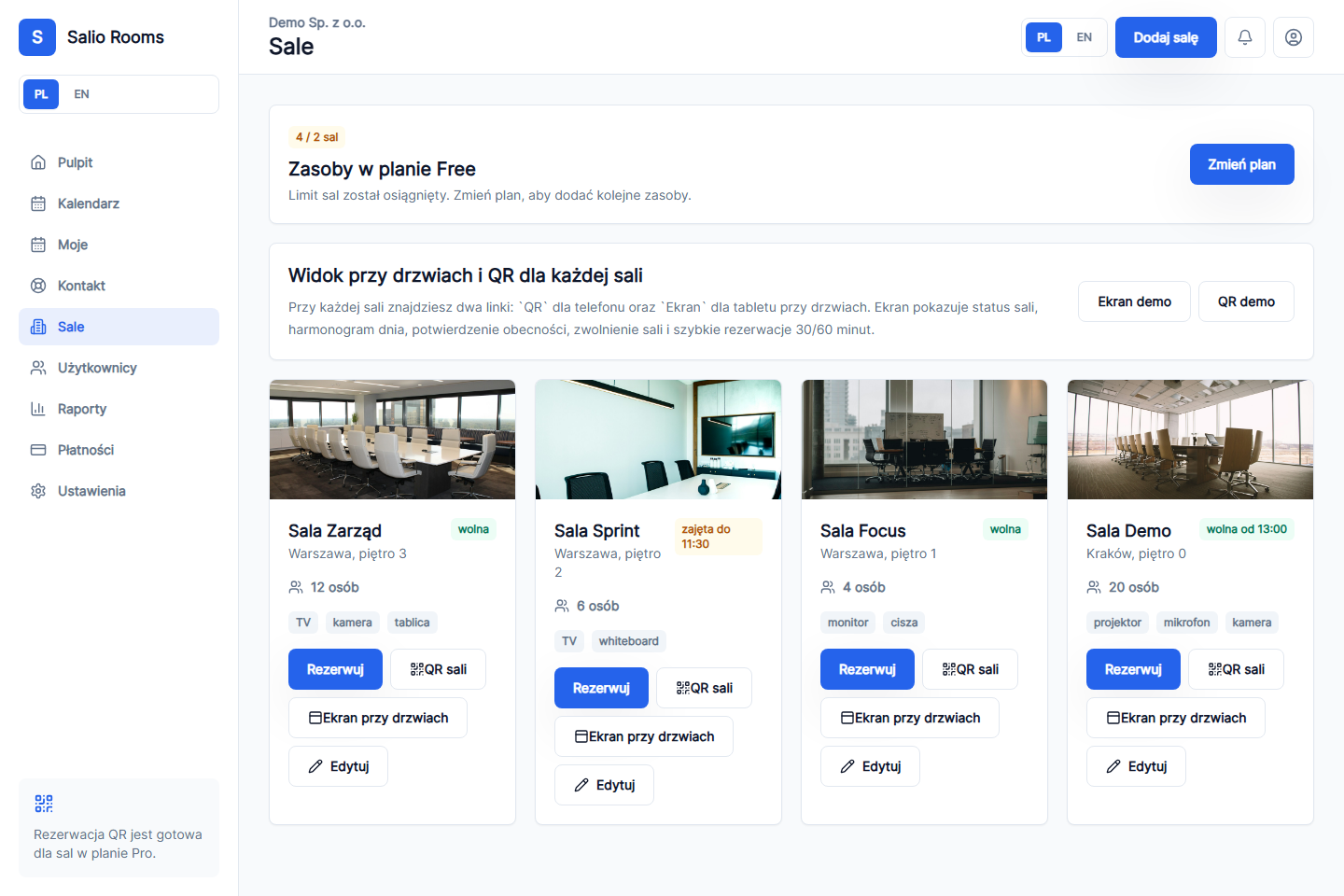
Rooms and QR links
Room photos, capacity, equipment and QR/display links for every room.
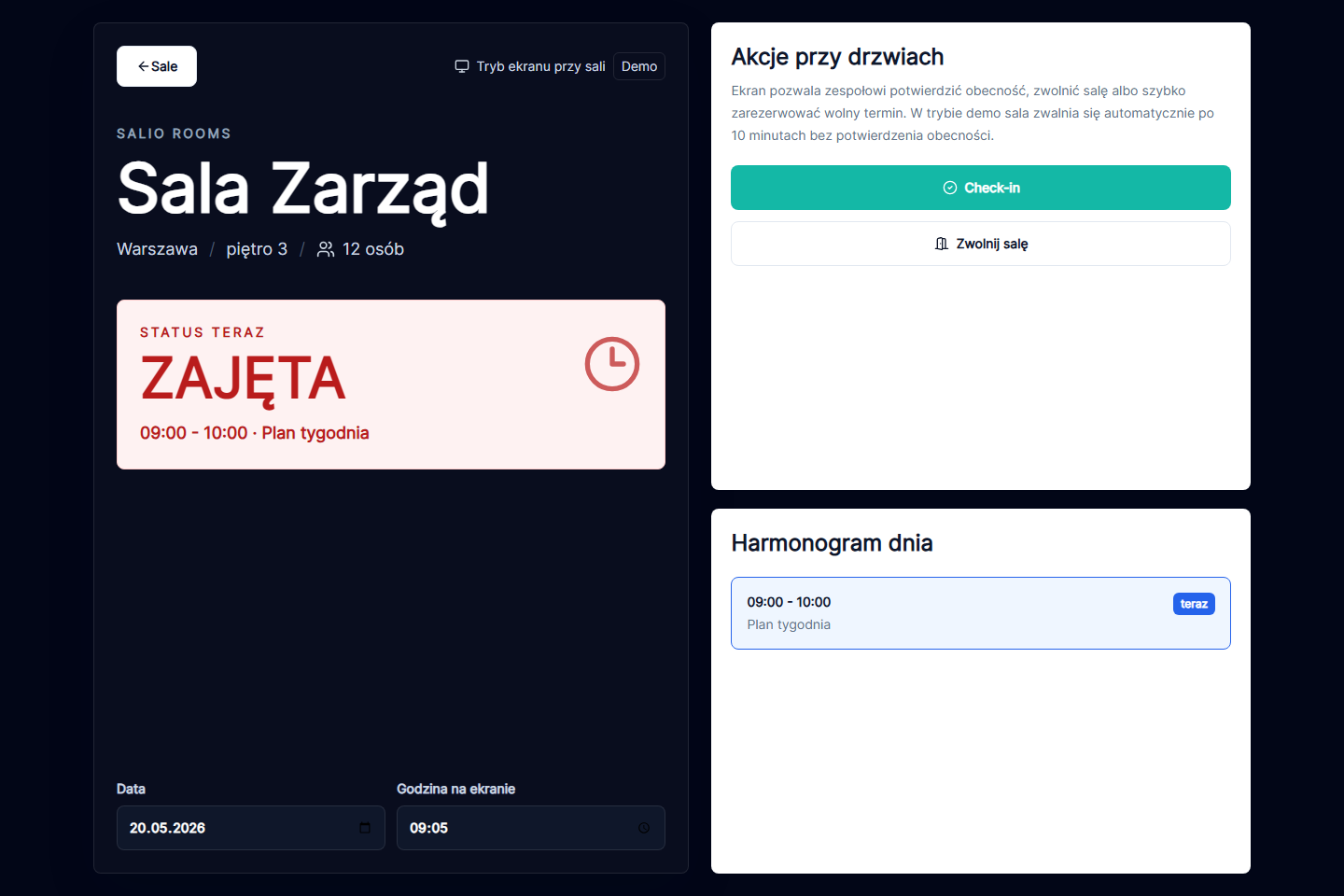
Room-door display
Current status, day schedule, check-in and quick ad hoc booking actions.
The actual spaces
Salio Rooms is built for real meeting rooms, not just an admin panel.
Screens show the software, but buyers also need to see the office context: conference rooms, smaller meeting rooms and the room-door flow. These professional photos show the spaces Salio helps organize.

Executive meeting rooms
For larger meetings, recurring sessions and high-value rooms where visibility matters to the whole company.

Small project rooms
For quick ad hoc meetings and rooms that are often blocked without a clear owner or reliable status.

Door display and QR flow
For spaces where people need to see immediately whether a room is free, busy, nearly busy or ready to book.
Why Salio Rooms is better than spreadsheets, chat or a shared calendar alone
A company calendar shows events. Salio Rooms manages the room booking process around those events.
Room availability
Spreadsheets, chat messages and calendars show different versions of the truth.
One room calendar with current status and fast booking from available slots.
Participants
Organizers collect emails manually and update guests after the meeting is created.
Company user suggestions and multi-select participant picking in one flow.
Recurring meetings
Every week needs a manual copy or a separate message.
Weekly and monthly recurrence with editing for one meeting or future occurrences.
Account control
Permissions, plan limits and utilization are difficult to audit.
Roles, plans, reports, superadmin readiness and account-level controls are visible.

Pricing that supports a clear buying decision
Start with Free, move to Plus for a larger team, and keep Google Calendar plus Microsoft 365 / Outlook in Pro.
Free
0 PLN
per month
Up to 5 users
Up to 2 rooms
Starter room booking
Basic calendar views
Small team limits
Calendar integrations in Pro
Plus
80 PLN
per month
Up to 30 users
Up to 20 rooms
Larger team limits
Reports and QR booking
Operational account controls
Calendar integrations in Pro
Pro
149 PLN
per month
Up to 100 users
Up to 100 rooms
Highest limits
Advanced reports
Google Calendar and Microsoft 365 / Outlook
Google Calendar and Microsoft 365 / Outlook
FAQ before rollout
Can we try Salio Rooms before creating an account?
Yes. You can open the product preview, see the main screens and then decide whether to create an account for your company.
Are Google Calendar and Microsoft 365 available in every plan?
No. External calendar integrations are positioned as Pro-plan features. The .ics fallback remains available as a safe option.
Can a collaborator manage the account like the owner?
Yes, if the owner grants the full-access collaborator role. Standard collaborators keep a limited workspace view.
Turn room booking chaos into one clear process.
Create an account, add your first rooms and show the team a working booking calendar before production providers are connected.